Custom Kitting Solutions
Read Case Study
Printing often gets treated as the last task on the menu-update checklist. A designer finishes the file, emails it to the printer, and the team moves on.
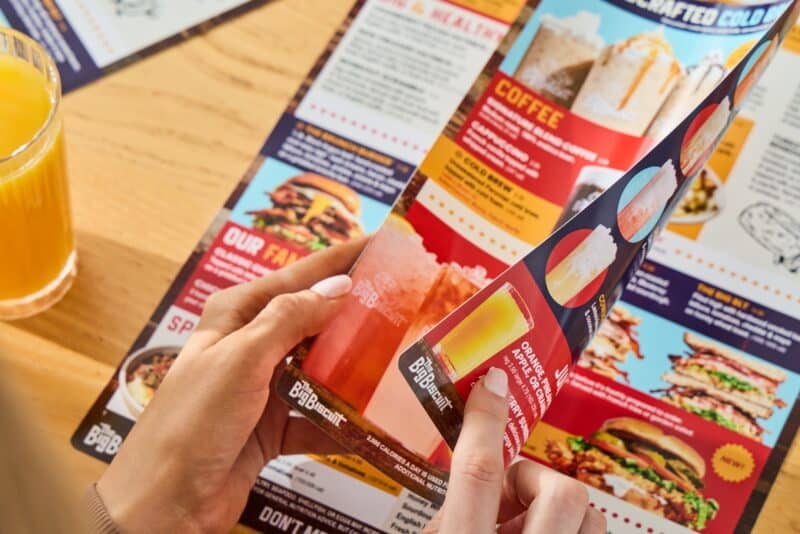
But the information on a menu now appears in far more places than the dining room. Guests may see the same items on a restaurant website, a QR menu, a delivery app, or a digital menu board before they ever pick up a printed copy. Restaurant menu printing works best when it draws from the same managed information as all those other channels.
A connected menu program keeps the versions together, turning menu printing into a predictable part of the update and ending any last-minute file chase.
A single price update can create a surprising amount of work. The designer changes each print file, the web team updates its pages, and someone checks the delivery platforms. If the restaurant uses market-based pricing, the team also has to make sure the right number appears in every location’s version.
Managing prices from one central source cuts out those separate edits. The system stores the approved price for each location and sends it to every menu that needs it. A dish can cost one amount in Florida and another in Kansas City without forcing the team to maintain a maze of nearly identical design files.
Menu descriptions are carefully written for a reason. They explain the dish, set guest expectations, and may contain details about ingredients or preparation that need to stay accurate.
Separate files have a habit of drifting apart. A description gets revised for print but stays unchanged on the delivery app, or the website keeps an older name after the dining-room menu has moved on. Producing custom menu printing from the same data used online keeps the approved language attached to the item wherever guests find it.
Limited-time offers need to leave the menu as neatly as they arrive. When the promotion plan includes menu files from the start, the team can schedule both the launch version and the version that follows it. The January feature comes off in February without locations having to cover old items or wait for corrected menus.
Table tents, inserts, and menus can be ordered for the actual length of the campaign. Custom menu printing then supports the promotion without leaving a storeroom full of pieces that expired weeks ago.
Restaurant groups can lose track of current menus even when everyone is trying to follow the process. A designer may have the latest file on a laptop while an older copy remains in a shared folder. If updated menus arrive late, a location might photocopy a correction or write in a price just to keep service moving.
A versioned system gives the brand a clear record for every location. Teams can see which version a restaurant should be using, which approved file it ordered, and when that order went out. Menu printing can then be traced to a specific file, which is especially useful when the menu contains required disclaimers or franchise-approved language.
Guests can notice when a price on their phone differs from the price at the table. Even a small mismatch creates an awkward conversation for the staff and makes the menu feel unreliable.
Publishing printed and digital menus from the same set of data keeps the price, item name, and description aligned. The same principle applies to menu listings on Google and other platforms that guests check before visiting. When someone searches restaurant menu printing near me or looks up a location before heading out, the listing they find should match the menu on the table. Each channel should show the menu that the restaurant is actually serving.
MenuNet gives restaurant brands a central place to manage menu data and location versions. PrintNet carries that control into ordering. Together, the tools let teams:
Once the information is approved and the correct version is selected, the press has a much simpler job. Menu printing becomes the dependable final output of a system that the brand can see and control.
Trabon Group has printed for restaurant brands since 1975. Because we manage menu data alongside in-house digital and offset production, the system and the restaurant menu printing come from one partner. For brands searching for custom menu printing nearby, that means a single source for both the data and the press instead of a local shop working from whatever file lands in the inbox.
If updates still move around as email attachments in your business, talk to Trabon about connecting your menu program or request a quote for your next print cycle.