The Hidden Costs of Managing Menus in Spreadsheets and Email
Learn More
Menu printing mistakes are operational failures that multiply with every location in a restaurant brand’s portfolio. A single-location restaurant that prints the wrong version of a menu loses a box of menus. A 200-location brand that prints the wrong version loses a production run, a shipping cycle, and the staff time to identify and correct the error at every affected location.
Most of these mistakes are not about print quality. They are about the systems, decisions, and planning gaps that sit between the restaurant’s team and the finished menus on the table. Here are seven that come up repeatedly in multi-unit menu printing programs, and what each one actually costs.
Version errors are the most expensive menu printing mistake at scale because they produce menus that look correct, ship on time, and land on tables with the wrong information.
The problem is rarely that someone sends a file labeled “old version.” It is that five people have access to menu files across three shared drives and two email threads, and the file that reaches the printer is the one someone found fastest, not the one that was last approved. A single location fixes this by reprinting 50 menus. A 150-location brand fixes it by identifying which locations received the wrong version, pulling those menus from service, and running a second production cycle. The cost is the reprint, the rush shipping, and the hours of coordination.
The fix is a single source of truth for production files. When the approved file lives in one system and the printer pulls from that system directly, the “which version is current” question does not exist. Brands that manage menu files across email attachments and shared folders will hit this mistake repeatedly.
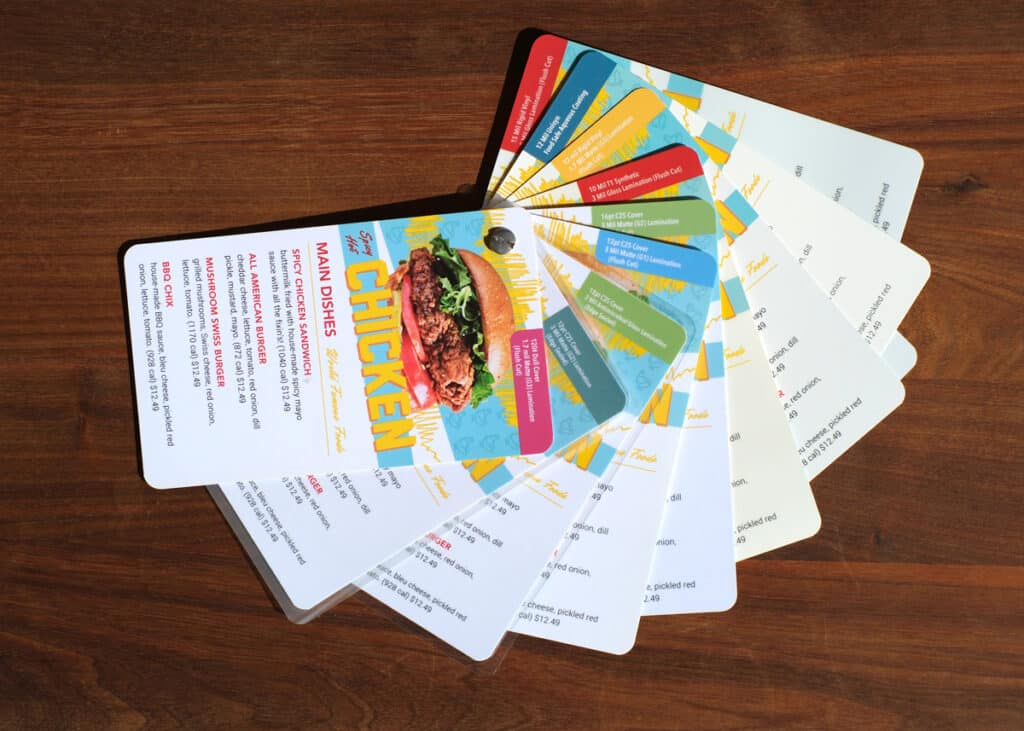
The cheapest menu per unit is rarely the cheapest menu per year. Substrate selection based solely on the purchase order price ignores replacement frequency, which is the variable that determines actual annual cost.
A synthetic menu that costs less per unit but needs replacing every two to three months under heavy cleaning costs more annually than a laminated menu that lasts six months to a year. The math only works when you multiply the per-unit price by the number of reprint cycles per year and add shipping. Brands that select on unit price alone often discover the true cost after three or four reorder cycles, by which point they have already spent more than the alternative would have cost.
Menu change velocity complicates this further. A brand that updates menus quarterly is replacing for content reasons, not durability reasons, so the lifespan advantage of a more expensive substrate may not matter. The substrate decision should start with how long the menu content will stay current, then match the material to that lifespan.
Quantity miscalculation runs in both directions, and both directions cost money.
Over-ordering produces surplus inventory that becomes waste after the next menu change. A brand that prints 20% more than it needs “just in case” and then updates pricing two months later discards that surplus. At scale, the dollar amount of discarded menus across a full portfolio can exceed the cost of a single production run.
Under-ordering is more disruptive. Locations run out mid-cycle and request emergency reprints at rush pricing, which can run 30% to 50% above standard rates. Rush orders also jump the production queue, compress the proofing timeline, and increase the risk of errors shipping under time pressure.
The root cause in both cases is ordering without data. Brands that track consumption rates by location, seasonality, and menu change frequency can forecast quantity with enough accuracy to avoid both failure modes. Brands that guess based on the last order will keep swinging between surplus and shortage.
Fragmented sourcing means every location or region uses its own local printer, and the result is menus that look different at every location even though they were printed from the same file.
Different printers use different presses, different paper stocks, different ink profiles, and different finishing equipment. The shade of red in the logo shifts. The paper weight varies. The laminate finish feels different. A guest who visits two locations in the same week sees a brand that cannot maintain consistency in something as basic as its own menu.
Beyond appearance, fragmented sourcing eliminates volume pricing. Ten locations each ordering 200 menus from ten different printers pay ten small-run prices. The same brand ordering 2,000 menus through a single menu printing partner pays one volume price. The per-unit cost difference compounds across every reprint cycle for every material in the brand’s print program.
The administrative cost is also real. Someone at each location or in each region manages a vendor relationship, reviews proofs, approves invoices, and coordinates shipping. Centralized printing consolidates that overhead into one relationship managed by one team.
The substrate that works in one restaurant environment may fail in another, and the difference is usually the cleaning chemicals, not the menu itself.
Synthetic menus are water-resistant and tear-resistant, but the ink sits on the surface rather than beneath a protective layer. Alcohol-based sanitizers and EPA-approved disinfectants degrade the ink over repeated wiping. In restaurants that clean menus after every table turn with commercial-grade cleaner, synthetic menus can show visible ink fading within weeks. Laminated menus protect the ink beneath the lamination film, which withstands chemical cleaning far longer.
The mistake is selecting a substrate without accounting for the specific cleaning products and frequency at the locations that will use it. A brand’s food safety team may mandate a particular disinfectant. If the menu material cannot tolerate repeated exposure to that disinfectant, the menus will degrade faster than anyone planned for, and the replacement cycle accelerates.
Brands that do not plan reprint cycles around known menu update schedules pay rush pricing, compress proofing timelines, and increase error rates on every production run.
Most multi-unit restaurant brands have predictable content change points: seasonal menu updates, quarterly LTO rotations, annual price adjustments. These are not surprises. But brands that do not build a reprint calendar treat each one as an ad hoc project. The marketing team finalizes creative late. The file reaches the printer with a tight deadline. The printer charges rush fees. The proofing window shrinks, which increases the odds of an error making it to production. The error triggers a reprint.
A reprint calendar maps every known content change to a production timeline, working backward from the launch date to set file deadlines, proofing windows, production slots, and shipping schedules. Brands that operate on a calendar pay standard production rates, get full proofing cycles, and launch on time. Brands that operate on “we need new menus by Friday” pay for urgency on work that was foreseeable months in advance.
Proofing shortcuts that seem harmless on a single-location order become expensive at scale because the error multiplies across every location that receives the production run.
A mispriced item, a missing allergen callout, or a wrong phone number on a proof that gets approved in a hurry ships to every location in the order. At 50 locations, that is 50 sets of menus that need pulling and replacing. The cost of the reprint is often smaller than the cost of the operational disruption: identifying which locations have the error, communicating the recall, shipping replacements, and confirming the swap at every site.
The time pressure usually comes from mistake #6. When every menu change is treated as an emergency, the proofing step is the first thing that gets compressed. The person approving the proof is reviewing it on a phone between meetings instead of checking every item against the current menu data. The approval is not really an approval. It is a sign-off under time pressure.
The fix is structural: build proofing time into the reprint calendar as a non-negotiable step, assign the review to someone whose job includes verifying menu accuracy, and require sign-off against the actual menu data source rather than a visual scan of the PDF.
"*" indicates required fields